
Choosing a Work Bag That Fits Your Daily Essentials
Find a work bag that holds what you actually bring, feels manageable on your commute and keeps everyday items easy to reach.

Image disclosure: All images in this article are AI-generated illustrations. They are not photographs of actual products or evidence of product testing.
Introduction
A work bag can look neat on a product page and feel crowded once the laptop, charger, lunch and umbrella go inside. It may be comfortable from the car to the office but awkward during a long walk or a standing trip on public transport.
Before choosing a style, put your daily essentials together. Check their size and weight, then decide how you want to carry them. A useful bag fits your routine, including the commute and the small things you reach for repeatedly.
Buying Factors
Factor | Why it matters | What to check |
|---|---|---|
Capacity | Enough room without unnecessary bulk | Actual laptop, lunch, bottle and umbrella |
Carrying style | Comfort for your usual route | Backpack, tote, shoulder bag or briefcase |
Device space | Fit and separation for electronics | Actual sleeve dimensions and padding |
Organization | Access without searching | Closures, pockets and interior layout |
Construction | Repeated carrying and cleaning | Straps, base, seams, zipper and care |
Pack for an Ordinary Workday
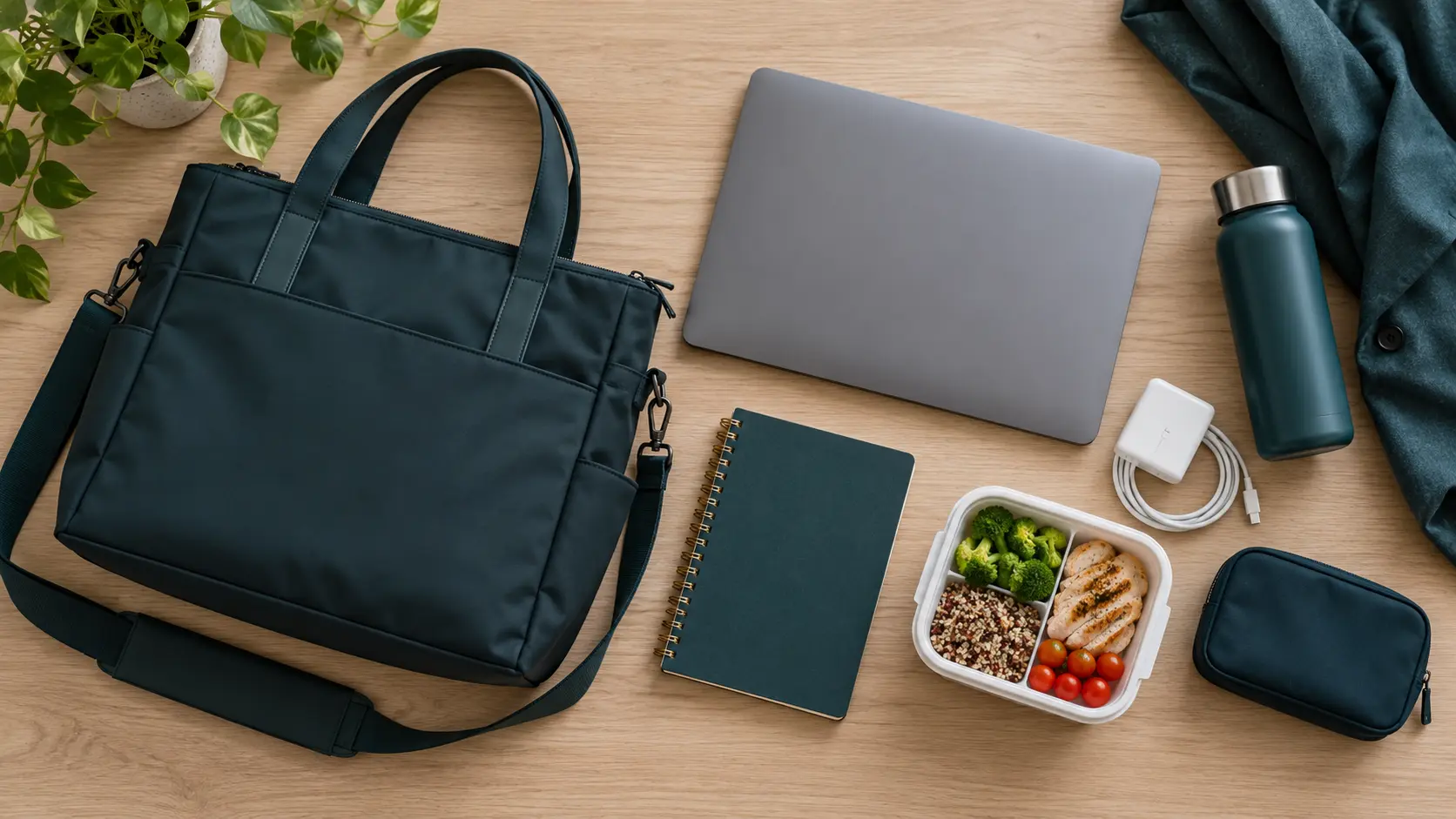
Lay out an ordinary day’s essentials before choosing the size.
Lay out everything you usually bring: laptop and case, charger, notebook, wallet, lunch, bottle and umbrella. Include anything you carry for the trip home, such as a small purchase or a change of clothes. If you bring extra equipment only occasionally, decide whether a separate bag makes more sense than carrying a large work bag every day.
Measure the largest items. A bag’s exterior size does not tell you the usable space after padding, dividers and a curved opening. A laptop screen-size label is also only a starting point. Compare the sleeve’s internal dimensions with the actual device and its case, and make sure the opening is wide enough.
Choose a Carrying Style for the Commute

Check the bag with a realistic load and adjusted straps.
A backpack leaves both hands available and spreads the load across two shoulders when adjusted well. A tote can offer easy access but may become tiring on one shoulder. A briefcase or crossbody style can work for a lighter load or a shorter walk. These are practical trade-offs, not a rule that one style suits every worker.
Try the bag with a realistic load if the shop permits it. Walk a little, change direction and check that the straps do not dig in or slide off. If you often stand in a jeepney or bus, think about how you will hold the bag securely without blocking an aisle. Choose manageable size as well as carrying comfort.
Give Electronics Their Own Space
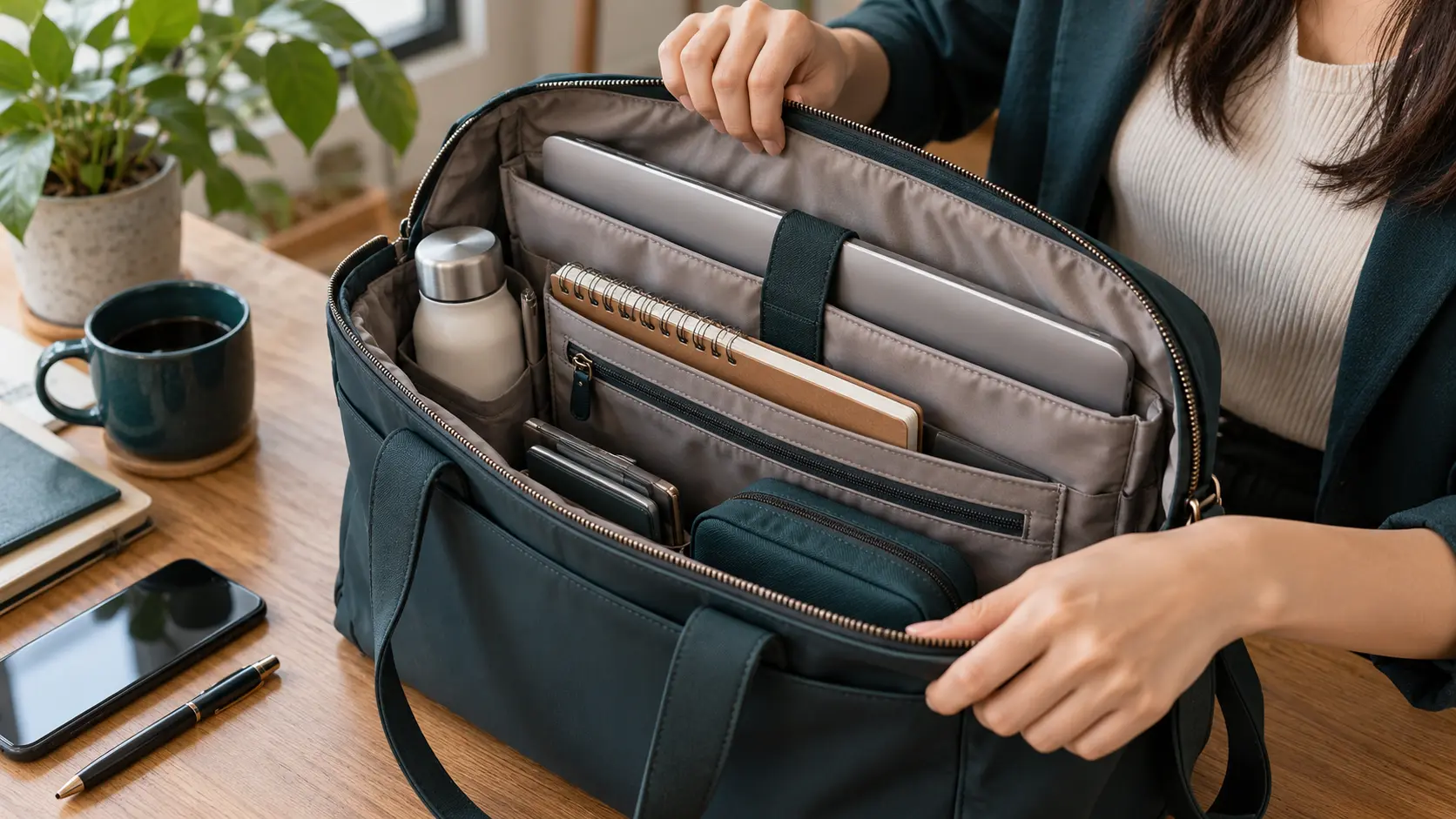
Compartment layouts are conceptual; protect electronics from bottles and spills.
A padded sleeve can keep a laptop from shifting against hard items, but padding is not a promise against every drop or water leak. Check whether the device fits without forcing the zipper and whether you need a separate case. Keep chargers and keys from pressing directly against the screen or casing.
A bottle deserves its own secure place. Inspect the lid and keep it upright; an inside spill can happen even when the bag’s fabric resists rain. If you carry important papers, a folder or pouch may be useful. Avoid paying for a built-in cable or charging port unless you understand what is included and whether you would use it.
Make Access Simple
Imagine arriving at a station gate with your transit card somewhere inside the bag. A small pocket for that card, your ID or keys can save repeated searching. Check that you can reach it easily and that it closes securely enough for your routine. More pockets are not automatically better if their openings are too small or their positions are awkward.
Look at the main closure too. An open tote may be convenient at a desk, while a zippered opening can help contain items during travel. Try the zipper one-handed and see whether fabric catches. Separate lunch or damp items from papers and devices where possible. The best layout is the one you can use without memorizing ten tiny compartments.
Check Straps Base and Everyday Wear
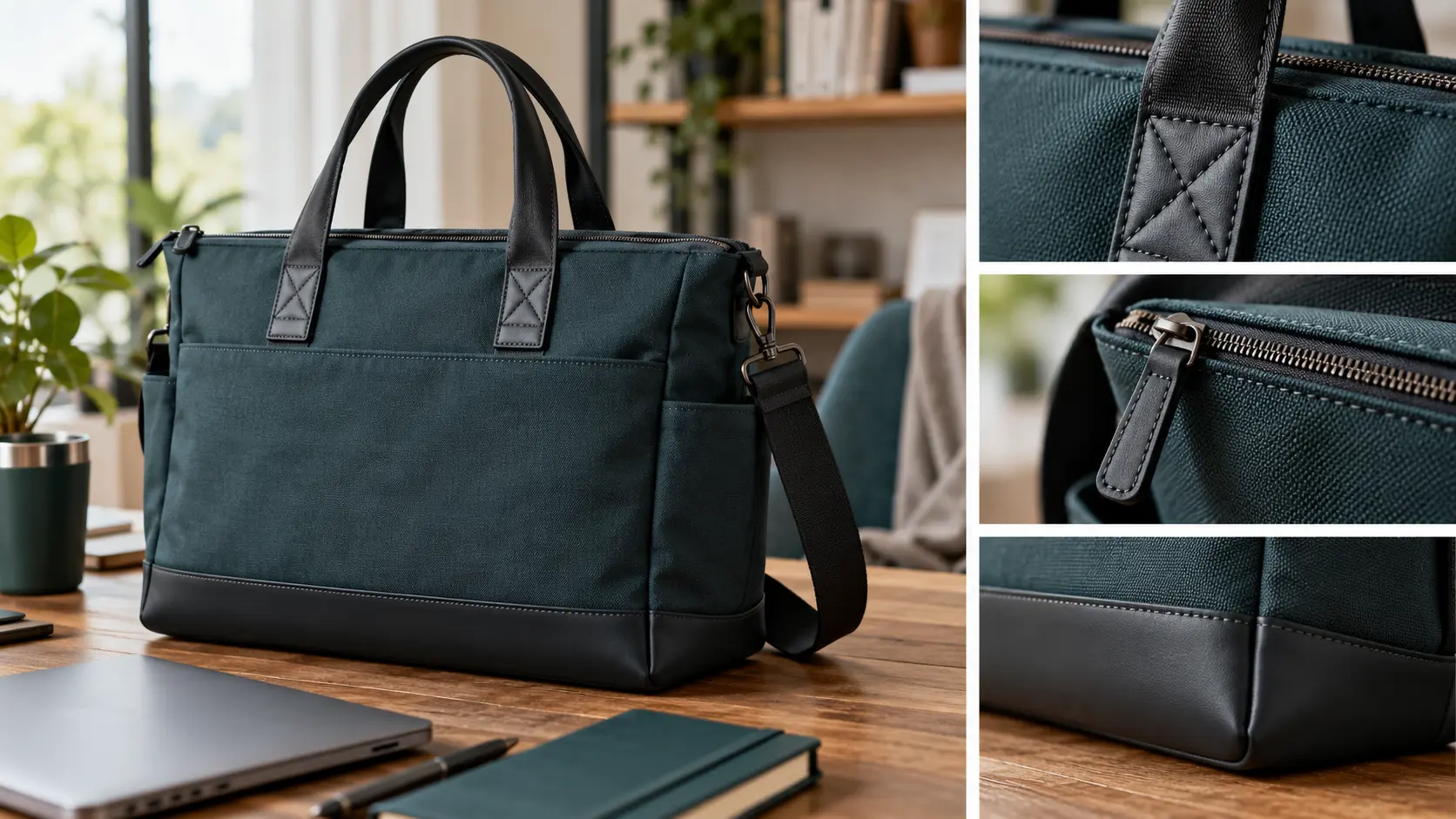
Inspect the attachment points and closures before buying.
Inspect stitching where straps and handles join the bag, and look at the base that will rest on floors or desks. Move the zipper through its full opening. Check the lining for loose seams and places where a pen or small item might disappear. These checks can reveal obvious faults, though they cannot prove long-term durability.
Consider the bag’s empty weight. A structured leather-style bag can feel substantial before you add anything; a lighter fabric bag may offer less shape or protection. Neither is automatically the better buy. Choose a balance you can carry comfortably and a surface you can clean according to its care instructions.
Plan for Rain and Cleaning
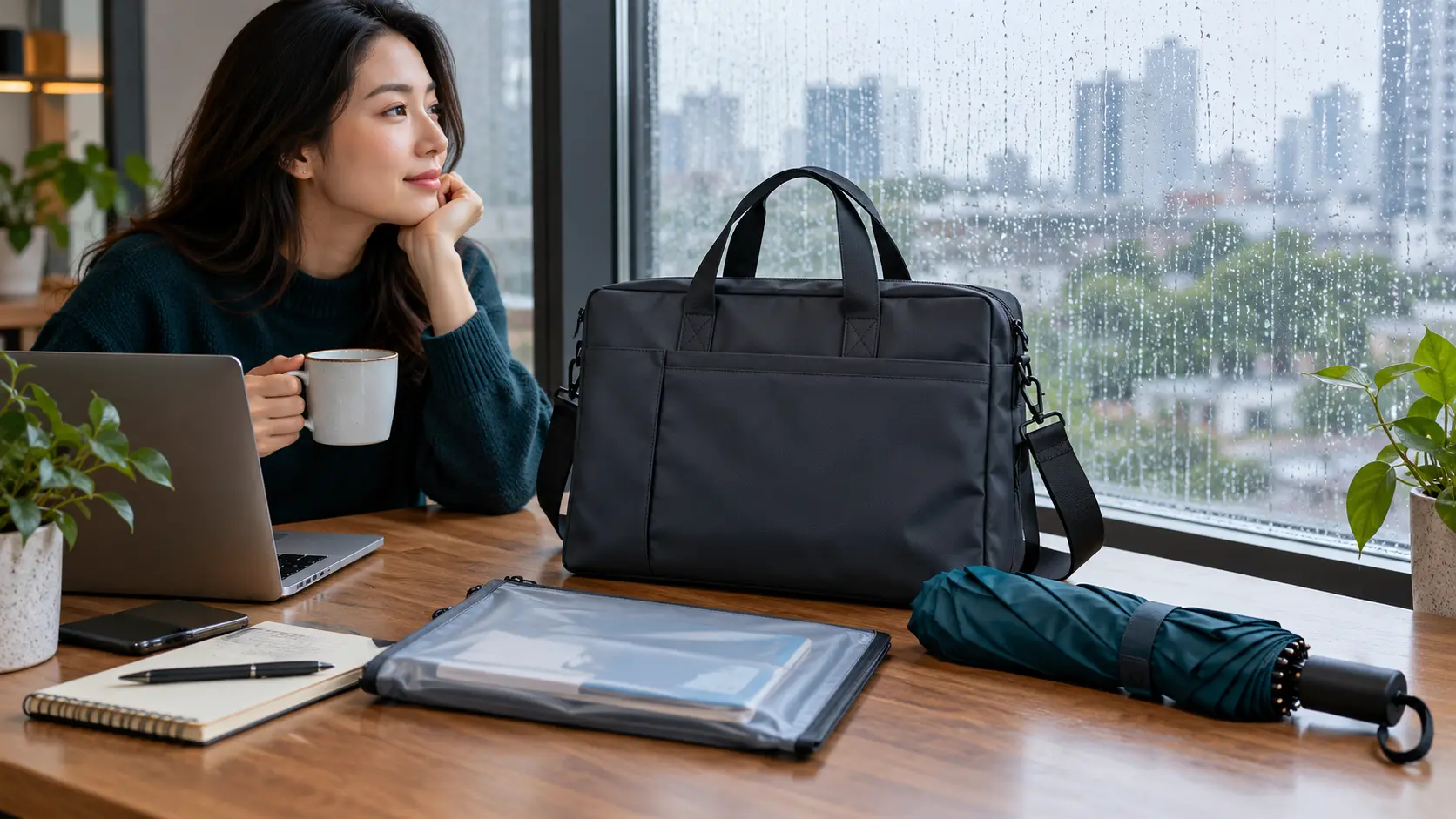
Plan an extra barrier for sensitive contents when rain exposure is high.
A water-resistant outer fabric can help with a few splashes, but rain can still enter through openings or seams. Ask whether any protection claim covers the whole bag or just the fabric. A cover or sealed inner pouch may add protection for a long uncovered walk. Keep an umbrella, but do not assume it will shield every side of a bag in wind.
Follow the manufacturer’s cleaning directions, especially for coated fabric or leather. Empty a damp bag and let it dry before storage. If lunch spills are a realistic possibility, choose an interior you can reach and clean. A separate removable lunch container or pouch can make this easier than a permanently built-in compartment.
Check the Purchase Terms
For an online order, compare exterior and internal measurements, the exact material and the seller’s photos of the opening and straps. Ask about any missing dimensions rather than guessing from a model’s height. Read exchange terms and any stated warranty before buying, including what damage or wear is excluded.
Try your ordinary load indoors when the bag arrives. Confirm that the laptop, bottle and lunch fit together, not just individually. If a strap or zipper feels wrong, resolve it while the bag is still eligible for return. Include a device sleeve, cover or organizer in the total cost if the bag needs one.
Priorities for Your Routine
Routine | Give extra attention to |
|---|---|
Long walk with a heavier load | Loaded fit, manageable weight and two-strap option |
Short commute with light essentials | Compact style and convenient access |
Laptop every day | Actual device fit, separation and rain plan |
Office plus gym or errands | Realistic extra capacity or separate small bag |
Common Mistakes to Avoid
Buying by appearance without packing your usual items.
Treating a screen-size label as a guaranteed laptop fit.
Assuming padded means waterproof or drop-proof.
Ignoring the bag’s empty weight.
Choosing many compartments without checking their usefulness.
Questions to Ask Before Buying
Do all my daily items fit together?
Can I carry the loaded bag comfortably along my usual route?
Are my frequently used items easy to reach?
How will I separate bottles and damp items from electronics?
Can I clean the lining and return a poor fit?
XploreSulit Summary
Choose a work bag around the load and commute you already have. Confirm the device dimensions, try the carrying style with weight inside and check the access points you will use daily. A smaller, well-organized bag may serve you better than extra space you rarely need.
Editorial Notes
This is an independently edited, criteria-based buying guide based on published guidance and buying considerations; it is not hands-on testing or a ranked product review. No product pictured has been tested by XploreSulit.
Frequently Asked Questions
It depends on the load and journey. A backpack with both straps used can be convenient for longer walks; a tote may suit a lighter load and shorter trip. Try the actual bag loade
Not always. Padding, fit and protection vary. Check the compartment and your device needs before deciding whether a separate case is useful.
There is no single answer. Check the size and shape of your actual items; a quoted capacity does not establish laptop or lunch-container fit.
It may help during short light exposure. Check openings and seams, and add protection for sensitive contents on routes with frequent heavy rain.