
Finding the Right Security Camera for Your Home
A practical guide to choosing a home security camera by location, power source, image quality, alerts, storage, connectivity, privacy, and long-term support.
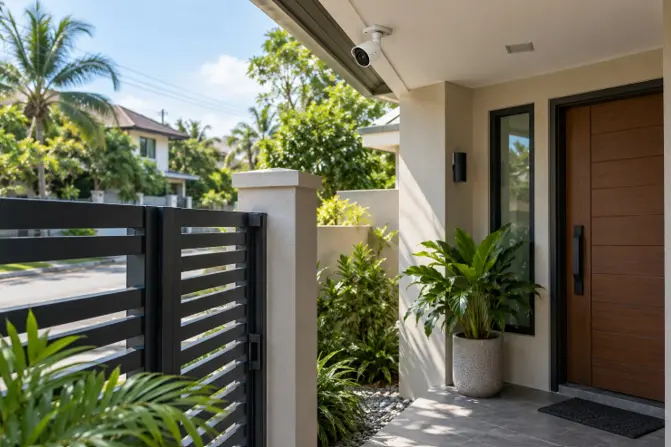
Image disclosure: Images and scenes in this article may be AI-generated for illustration purposes only. Any people, animals, places, products, interfaces, or events shown are fictional or generic and should not be interpreted as actual individuals, locations, commercial products, software interfaces, testing results, or real-world events.
Introduction
A security camera is useful only when it can clearly cover the place you care about and reliably deliver or save the footage you need. A camera aimed at a front gate has a different job from one watching a living room, a parked vehicle, or a pet while the household is away. Before comparing megapixels or artificial-intelligence features, decide what event you want to see, where the camera can be mounted, and how it will receive power and internet access.
Philippine homes bring practical considerations of their own. Thick concrete walls can weaken Wi-Fi, covered porches still receive wind-driven rain, and short power or internet interruptions can affect cloud-connected cameras. Start with the actual location, then work backward to the camera type, viewing angle, storage method, and installation plan.
Key Factors to Consider
Factor | Why it matters | Quick tip |
Location and purpose | The entrance, driveway, living room, and side passage require different views and mounting positions. | Write down the exact event or area each camera must capture. |
Camera and power type | Indoor, outdoor, wired, plug-in, battery, and doorbell cameras have different limits. | Choose the power method before comparing extra features. |
Image and night view | Fine detail depends on distance, lighting, angle, compression, and lens—not resolution alone. | Check real sample footage from the exact model when available. |
Alerts and detection | Poorly tuned alerts can miss useful events or create constant notifications. | Look for adjustable zones and sensitivity. |
Storage and subscription | Cloud plans, memory cards, and local recorders affect recurring cost and access during outages. | Price the complete setup, not only the camera. |
Privacy and account security | A connected camera handles sensitive household video and account access. | Use unique passwords, available multi-factor authentication, and current firmware. |
- Begin With the Area You Need to See
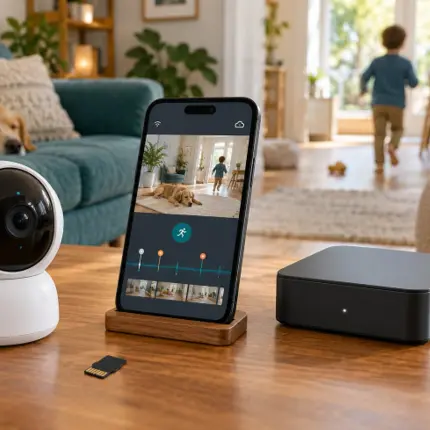
Start with the scene, not the shopping page. At a front gate, you may need enough width to see a visitor approach and enough detail near the entrance to recognize who arrived. A driveway camera may need a longer view, while an indoor unit may need to cover a doorway and the main part of a room without recording private spaces unnecessarily.
Walk through the location during the day and after dark. Notice backlighting from windows, porch lamps shining into the lens, moving plants, passing vehicles, and places where a person could be hidden from view. A carefully positioned midrange camera can be more useful than a higher-resolution model installed at the wrong angle.
- Match the Camera Type to the Location
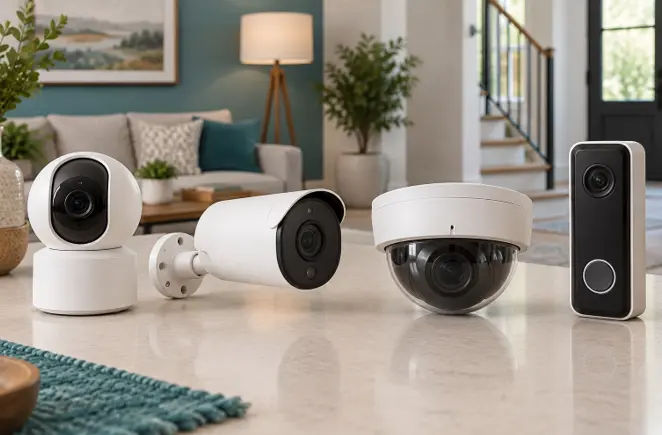
Indoor cameras are generally designed for sheltered rooms and convenient access to an outlet. Pan-and-tilt models can look around a room, but movement does not automatically remove blind spots; the camera still needs a sensible home position. Outdoor cameras should have suitable weather protection, stable mounting, protected connections, and an operating-temperature range appropriate for the location.
Plug-in Wi-Fi cameras are simple to install when an outlet and strong signal are nearby. Battery models reduce cabling but require charging and may record mainly when motion triggers them. Wired network cameras can provide stable data and, with compatible Power over Ethernet equipment, may carry power and data through one cable. That approach is more involved to install but can suit a planned multi-camera system.
- Judge Image Quality in the Real Setting
Resolution is only one part of useful footage. Lens width, subject distance, compression, lighting, motion, and camera height all affect what can be seen. An extremely wide view may cover more of the property but make a face or package appear smaller. Digital zoom cannot recreate detail that the camera never captured.
Night performance deserves separate attention. Infrared illumination commonly produces a monochrome image, while some cameras use visible lights for color at night. Check whether nearby walls, roof edges, glass, or reflective surfaces could bounce light back into the lens. If the camera must identify activity beyond a gate, look for sample night footage at a comparable distance rather than relying on a single marketing image.
- Make Sure the Alerts Are Manageable
Motion alerts sound helpful until every swaying branch, headlight, or passing vehicle produces a notification. Adjustable activity zones and sensitivity controls can make a large difference. Person, vehicle, animal, sound, or package detection may be useful, but availability and accuracy vary by model, software version, subscription, lighting, and placement.
Think about who will receive alerts and what should happen next. A household that only wants to check deliveries may need a different notification setup from one monitoring a front gate after dark. Treat detection as an aid, not a guarantee that every important event will be recognized.
- Compare Storage App Support and Ongoing Cost
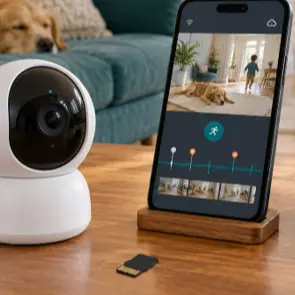
A memory card can keep recordings close to the camera, but capacity, overwrite behavior, card endurance, and theft of the device should be considered. A local recorder can centralize several cameras and may continue recording without internet access when the local network and power remain available. Cloud storage provides remote access but can depend on internet service and a paid plan.
Learn what to expect when your subscription ends. Check whether live viewing, event clips, smart detection, download length, and recording history remain available. Also consider app quality, the number of household members who can have separate access, account recovery, export options, and the manufacturer’s history of supporting older cameras.
- Plan for Wi Fi Power and Interruptions
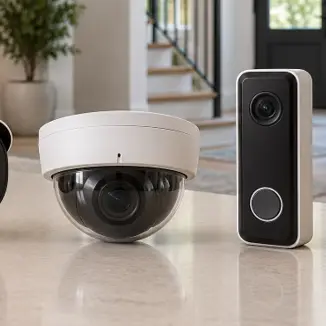
Test the signal at the proposed mounting point instead of assuming the router will reach it. Concrete walls, metal gates, appliances, and distance can weaken a connection. Some cameras support only certain Wi-Fi bands, while wired systems may require compatible switches, injectors, recorders, or cabling. Confirm the exact requirements before installation.
Power interruptions affect cameras, routers, and recorders—not just the device on the wall. Battery operation or a suitable backup-power arrangement may help for short outages, but runtime depends on the complete system. If remote viewing matters, remember that a powered camera still cannot reach the cloud when the home internet connection is down unless the setup includes another supported connection method.
- Treat Privacy and Account Security as Core Features
A home camera may capture family routines, visitors, conversations, and neighboring areas. Aim it only where coverage is genuinely needed, avoid bedrooms and other highly private spaces, and consider what falls beyond your property boundary. If workers, tenants, caregivers, or visitors may be recorded, check the applicable privacy and notice requirements before installation.
For connected cameras, replace default credentials, use a unique password, enable multi-factor authentication when offered, and keep the camera, app, phone, router, and recorder updated. Review shared users periodically and remove access that is no longer needed. Before buying, look for a clear support period, security-update process, privacy controls, and a practical way to delete or export recordings.
- Check Mounting Weather Protection and Maintenance
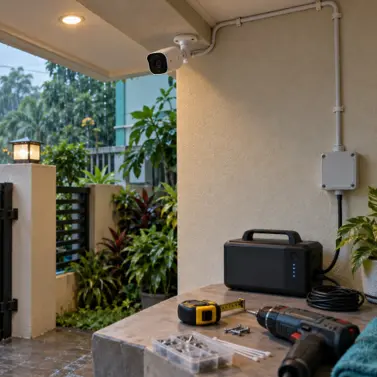
Outdoor installation should protect both the camera body and its cable joints. A weather rating does not mean every connector can be left exposed, and a sheltered position can still receive moisture, dust, insects, or direct afternoon sun. Follow the mounting and sealing instructions for the exact model.
Place the camera high enough to discourage casual tampering but not so high that faces become tiny or maintenance becomes unsafe. Leave a realistic plan for cleaning the lens, checking the mount, replacing a battery, or retrieving a memory card. Permanent electrical work, difficult heights, and network cabling may justify professional installation.
Recommended by Household Need
For a condo or apartment
A compact indoor camera or door-facing unit may be enough if building rules allow it. Prioritize a controlled field of view, reliable alerts, simple mounting, and privacy settings that avoid shared corridors or neighboring doors where possible.
For a house with a gate or driveway
Plan the view from the property entrance inward. Stable power, weather protection, night footage at the actual distance, and a strong network connection matter more than decorative app features.
For pets or household check ins
An indoor camera with a useful room view, dependable two-way audio if needed, and separate household accounts may be practical. Position it where pets cannot knock it over and where it does not intrude on private areas.
For several cameras
Consider the system as a whole: recorder or cloud plan, total bandwidth, power backup, user permissions, storage retention, and replacement availability. Mixing incompatible products can make playback and account management harder.
Common Mistakes to Avoid
Choosing by resolution alone without considering distance, lighting, lens width, compression, and placement.
Installing a Wi-Fi camera before testing the signal and power source at the exact mounting point.
Assuming an outdoor rating protects exposed plugs, adapters, and cable joints in every installation.
Buying an inexpensive camera without checking subscription fees, storage limits, app support, and firmware updates.
Leaving default credentials unchanged or sharing one account and password with everyone in the household.
Aiming the camera too broadly and recording private or neighboring areas that are not necessary for its purpose.
Expecting motion or artificial-intelligence detection to identify every important event correctly.
Questions to Ask Before Buying
What exact area or event should this camera capture?
Is the location indoors, sheltered, or fully exposed to weather and heat?
Will the camera use an outlet, battery, network cable, or another supported power method?
How clear is the image at the real viewing distance during both day and night?
Which alerts and recordings remain available without a paid subscription?
Can footage be stored locally, exported easily, and accessed during an internet interruption?
Are replacement mounts, cables, batteries, memory cards, warranty service, and software support available locally?
XploreSulit Summary
The right security camera is the one that gives a useful view of a clearly defined area and remains manageable after installation. Good placement, dependable power, sensible alerts, accessible recordings, and secure
Frequently Asked Questions
Not by itself. Resolution can help, but distance, lighting, motion, lens width, compression, and installation angle determine whether the captured detail is actually useful.
Choose according to the property and installation. Wi-Fi models can be convenient, while wired data and power may suit a planned multi-camera system. “Wireless” cameras may still need an electrical cable unless they run on a battery.
Each has tradeoffs. Local storage can reduce recurring fees and may work without internet access, while cloud storage can make remote viewing and off-site retention easier. Some households use both where the system supports it
Avoid highly private spaces and unnecessary views of neighboring property. Position cameras for a specific household purpose and review who can access the footage and audio.
Related Buying Guides
Finding the Right Robot Vacuum for Your Home
A simple guide to choosing a round robot vacuum that can move around your home reliably, clean your floors well, fit under your furniture, and remain practical to maintain over time.