
Finding the Right Robot Vacuum for Your Home
A simple guide to choosing a round robot vacuum that can move around your home reliably, clean your floors well, fit under your furniture, and remain practical to maintain over time.
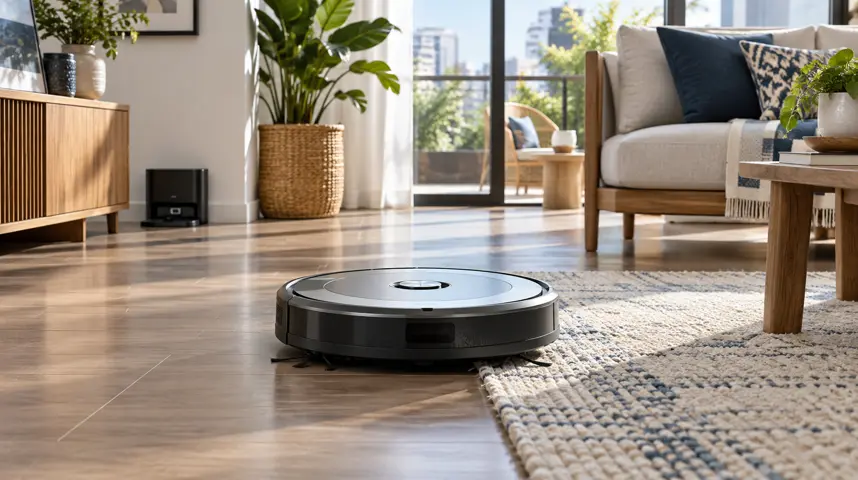
Image disclosure: Images and scenes in this article may be AI-generated for illustration purposes only. Any people, animals, places, products, interfaces, or events shown are fictional or generic and should not be interpreted as actual individuals, locations, commercial products, software interfaces, testing results, or real-world events.
Introduction
A robot vacuum is most useful when it can clean your floors with minimal help. In a tiled condo, it may struggle to fit under low furniture. In a busy family home, loose cables, toys, pet hair, rugs, and raised doorways can interrupt its route. Before comparing suction ratings, consider where the robot will travel and what obstacles it may encounter. Reliable navigation, suitable height, accessible brushes, enough dock space, dependable app support, and replacement filters available locally can be just as important as cleaning power.
Key Factors to Consider
Factor | Why It Matters | Quick Tip |
Navigation and Mapping | Better navigation usually improves coverage, reduces repeated passes, and supports room selection and no-go zones. | Choose saved mapping and editable zones for multi-room homes. |
Cleaning System and Floor Type | A large suction number alone does not show how well the robot cleans edges, handles hair, or transitions between tile, wood, and rugs.. | Prioritize the complete pickup system over headline suction. |
Size, Clearance, and Thresholds | A robot cannot clean places it cannot enter. | Leave a small clearance margin instead of relying on exact measurements. |
Battery, Dock, and App Control | Large homes may require recharge-and-resume. | Choose enough runtime for your normal cleaning area, not the advertised maximum. |
Maintenance, Parts, and Ownership Cost | Consumables and neglected maintenance can raise costs and reduce pickup, navigation, or charging performance.. | Buy a model whose consumables are easy to find. |
Detailed Buying Factors
- Navigation and Mapping
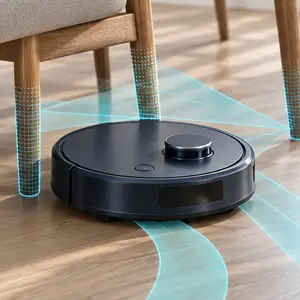
Navigation determines how the robot moves through rooms. Models may use simple bump-and-turn behavior, cameras, gyroscopes, or laser-based mapping.
Better navigation usually improves coverage, reduces repeated passes, and supports room selection and no-go zones. Even advanced systems can struggle with mirrors, dark surfaces, clutter, or changed furniture.
Check whether the model saves maps, supports multiple floors, lets you divide and name rooms, and can resume after charging. Review the app's current compatibility and privacy controls.
Our view: Choose saved mapping and editable zones for multi-room homes. Basic navigation may be enough for one small, uncluttered area.
- Cleaning System and Floor Type
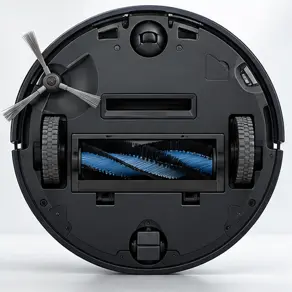
The main roller, side brush, suction path, wheels, and cleaning pattern work together to collect dust, crumbs, hair, and debris.
A large suction number alone does not show how well the robot cleans edges, handles hair, or transitions between tile, wood, and rugs.
Before buying, Match the brush design to your floors and pets. Look for edge-cleaning behavior, carpet boost, anti-tangle features, and credible tests on the surfaces you own.
For most homes, Prioritize the complete pickup system over headline suction. Homes with pets should favor easy brush access and designs that resist hair wrapping.
- Size, Clearance, and Thresholds
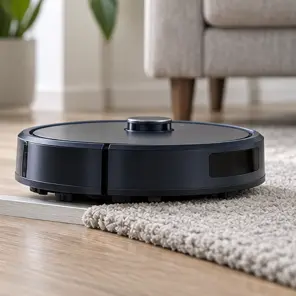
Body height affects whether the robot fits under furniture, while wheel travel and chassis design affect its ability to cross rugs and small thresholds.
A robot cannot clean places it cannot enter. Tall sensor towers may block access under low furniture, and thick rugs or raised transitions can stop movement.
Check and measure furniture clearance and the tallest thresholds in the cleaning route. Compare those measurements with the robot's stated height and climbing limit.
Our recommendation: Give the robot a little extra room instead of relying on exact measurements. Before buying, check the seller’s return and exchange policy. Once it arrives, see how well it moves over uneven flooring, dark rugs, and carpets with tassels.
- Battery, Dock, and App Control
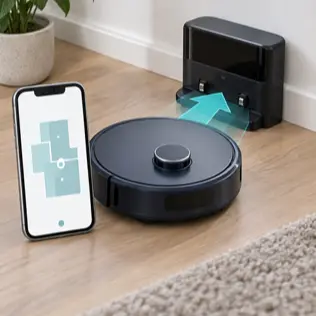
Battery capacity and power settings affect runtime. The dock recharges the robot, while the app may control schedules, maps, zones, and cleaning history.
Large homes may require recharge-and-resume. A poorly placed dock, unreliable Wi-Fi, or an unsupported app can limit otherwise capable hardware.
If possible, confirm Check realistic runtime, recharge-and-resume support, dock-clearance instructions, Wi-Fi band requirements, account permissions, update history, and manual controls.
Choose enough runtime for your normal cleaning area, not the advertised maximum. Make sure essential cleaning still works if the app or internet is unavailable.
- Maintenance, Parts, and Ownership Cost
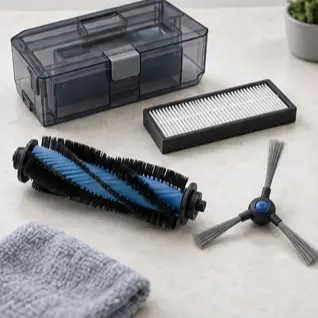
Bins, filters, rollers, side brushes, wheels, sensors, and mop components require cleaning or replacement. Some docks add disposable bags or washing tasks.
Consumables and neglected maintenance can raise costs and reduce pickup, navigation, or charging performance.
For Philippine buyers, check Price replacement filters, brushes, bags, pads, batteries, and cleaning solution before buying. Verify local availability, warranty coverage, and service options.
For long-term value, Buy a model whose consumables are easy to find. Empty the bin, remove wrapped hair, clean sensors, and replace parts according to the manual.
Recommended by Use Case
For apartments and small homes. A compact dock, reliable basic navigation, and low body height may be more useful than a large self-emptying station. Measure the space before paying for automation you cannot place conveniently.
For multi-room family homes. Saved maps, room selection, no-go zones, and recharge-and-resume become genuinely useful. Check whether the app can manage more than one floor and whether essential controls remain available without internet access.
For homes with pets. Choose a roller that is easy to free from hair, a well-contained bin, and consumables that local sellers regularly stock. Obstacle avoidance should still be backed up by clearing cords, toys, and pet-related messes.
For vacuum-and-mop cleaning. Check carpet avoidance or mop lifting, water control, pad washing, and the work required at the dock. The feature is worthwhile only if you are comfortable refilling, rinsing, and drying the system.
Common Mistakes to Avoid
Focusing only on suction power. Brush design, navigation, edge cleaning, and compatibility with your floors can matter just as much as the advertised suction rating.
Forgetting to measure the spaces the robot must navigate, including furniture clearance, door tracks, rug thickness, and raised thresholds between rooms.
Assuming obstacle detection will recognize every cable, sock, toy, or pet-related mess. Clearing the floor before each cleaning cycle can prevent interruptions and accidents.
Overlooking long-term ownership needs such as replacement filters, brushes, dust bags, batteries, app support, and authorized local warranty service.
Expecting a vacuum-and-mop robot to replace manual cleaning completely. It is useful for regular floor maintenance, but occasional deep cleaning will still be necessary
Frequently Asked Questions
Many do, but results depend on wheel design, brush type, rug pile, tassels, dark patterns, and threshold height. Check the exact model's limits and test your difficult areas during the return period.
LiDAR often maps accurately in dim rooms, while camera-based systems may add visual obstacle recognition. Neither approach is perfect; compare mapping reliability, privacy controls, and performance in your home conditions.
It can handle frequent maintenance cleaning, especially on open floors. Most homes still need occasional manual cleaning for stairs, corners, upholstery, tight spaces, and heavier debris.
It can reduce how often you empty the robot, which is useful for pets or larger homes. It also adds cost, size, noise, bags or bin maintenance, and more parts to clean.
Many models can start basic cleaning from a physical button, but mapping, schedules, zones, history, and updates may require an app and compatible Wi-Fi. Confirm offline functions before buying.
Many do, but results depend on wheel design, brush type, rug pile, tassels, dark patterns, and threshold height. Check the exact model's limits and test your difficult areas during the return period.
LiDAR often maps accurately in dim rooms, while camera-based systems may add visual obstacle recognition. Neither approach is perfect; compare mapping reliability, privacy controls, and performance in your home conditions.
It can handle frequent maintenance cleaning, especially on open floors. Most homes still need occasional manual cleaning for stairs, corners, upholstery, tight spaces, and heavier debris.
It can reduce how often you empty the robot, which is useful for pets or larger homes. It also adds cost, size, noise, bags or bin maintenance, and more parts to clean.
Many models can start basic cleaning from a physical button, but mapping, schedules, zones, history, and updates may require an app and compatible Wi-Fi. Confirm offline functions before buying.
Related Buying Guides
Finding the Right Security Camera for Your Home
A practical guide to choosing a home security camera by location, power source, image quality, alerts, storage, connectivity, privacy, and long-term support.