
Android Phone vs iPhone Which Fits Your Needs
A practical guide to choosing between an Android phone and an iPhone based on your budget, everyday needs, camera preferences, software experience, device compatibility, long-term support, and overall ownership costs.
Media disclosure: Images and the embedded video use AI-generated illustrations and AI-assisted production. The presenters and product visuals are fictional or generic. This content is based on published information and buying considerations, not hands-on testing.
Introduction
Choosing between an Android phone and an iPhone is less about finding a universal winner and more about choosing the exact phone that suits your budget and routine. Android is used by many manufacturers, so it covers a wide range of prices, designs, and features. Apple makes both the iPhone hardware and iOS, which creates a smaller and more consistent phone family. Either can be a sensible choice when the model fits the buyer.
This is an independently edited, criteria-based guide. It is not a hands-on test, camera comparison, or ranked product review. Specifications, update policies, regional configurations, prices, availability, and warranties can change. Verify the exact Philippine model and seller information before buying.
At a Glance Buying Factors
Buying factor | Android phone | iPhone |
Hardware choice | Many brands, sizes, designs, and price levels | A smaller family designed and supported by Apple |
Software | Features and interface vary by manufacturer and model | Apple develops iOS for its own phones |
Customization | Usually offers broader launcher, default-app, and setting choices | Offers controlled options within a more consistent layout |
Updates | Policy and delivery vary by brand, model, market, and carrier | Apple publishes compatibility and security releases for supported models |
Device ecosystem | Works with Google services, Windows, and devices from many brands | Works most closely with Mac, iPad, Apple Watch, AirPods, and iCloud |
File sharing | Quick Share and USB workflows depend on the devices involved | AirDrop and Continuity are convenient within Apple devices |
Storage | Capacity varies, and some models accept memory cards | Fixed internal storage with no memory-card slot |
Cameras and performance | Quality varies widely by brand, model, and price | Quality varies by model and generation |
Service | Warranty and repair access depend on the manufacturer and distributor | Apple publishes Philippine support and service routes |
Start With Your Budget and Daily Routine

List the tasks that matter every day before comparing platforms. Calls, messaging, banking, school, work, navigation, photos, games, and content creation do not place the same demands on a phone. Set a complete budget that includes the charger, case, screen protection, cloud storage, subscriptions, and possible repairs. Then compare exact models within that limit. A cheaper phone is not automatically better value, and a flagship is unnecessary when its extra features will go unused.
Consider the Devices and People Around You

Your existing setup can make one option easier to live with. Android phones often fit naturally with Google services, Windows computers, USB accessories, and products from different brands. An iPhone can reduce friction if you already use a Mac, iPad, Apple Watch, AirPods, iCloud, or family purchases linked to Apple accounts.
Also consider the people you communicate with. Messaging works across platforms, and supported iPhones can use carrier-provided RCS with non-Apple phones, but availability depends on the carrier, software, and settings. Family location sharing, parental controls, shared purchases, video calls, and group-chat habits may matter more than the platform name.
Compare Hardware Choice and Support Years
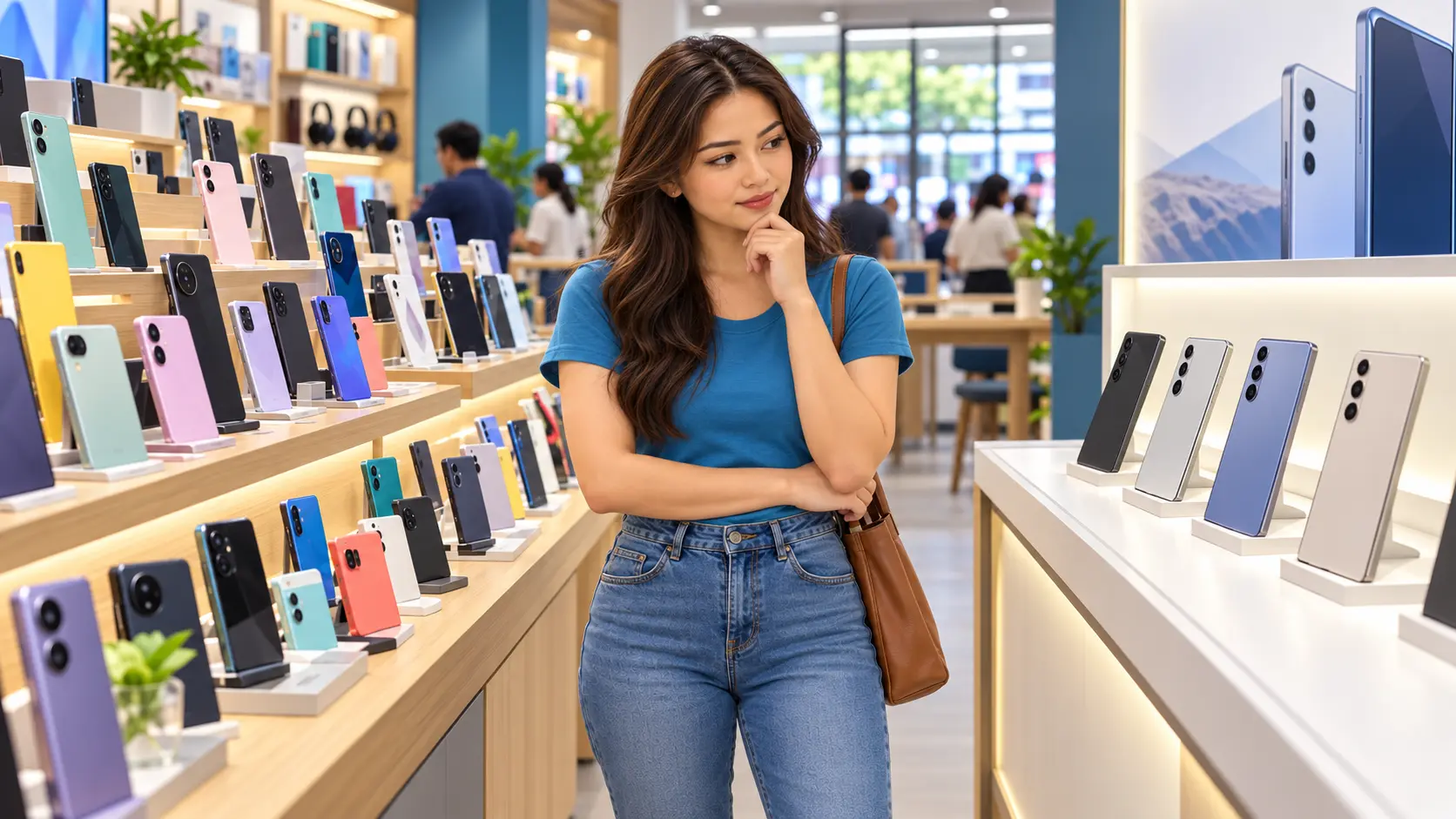
Android covers compact phones, large screens, foldables, rugged devices, stylus models, gaming-focused hardware, and many price levels. This variety is useful, but two Android phones can differ greatly in display quality, cameras, software, updates, and after-sales support. The iPhone range is easier to understand as one family, although standard, Pro, larger, lower-cost, and older models still have meaningful differences.
Check the written update policy for the exact model. Android support varies by manufacturer, model, market, and sometimes carrier. Apple publishes compatibility and security information for supported iPhones, but support is not endless. When considering old stock or a used phone, count the useful support years remaining from the purchase date rather than relying on its original launch position.
Decide How Much Control You Want
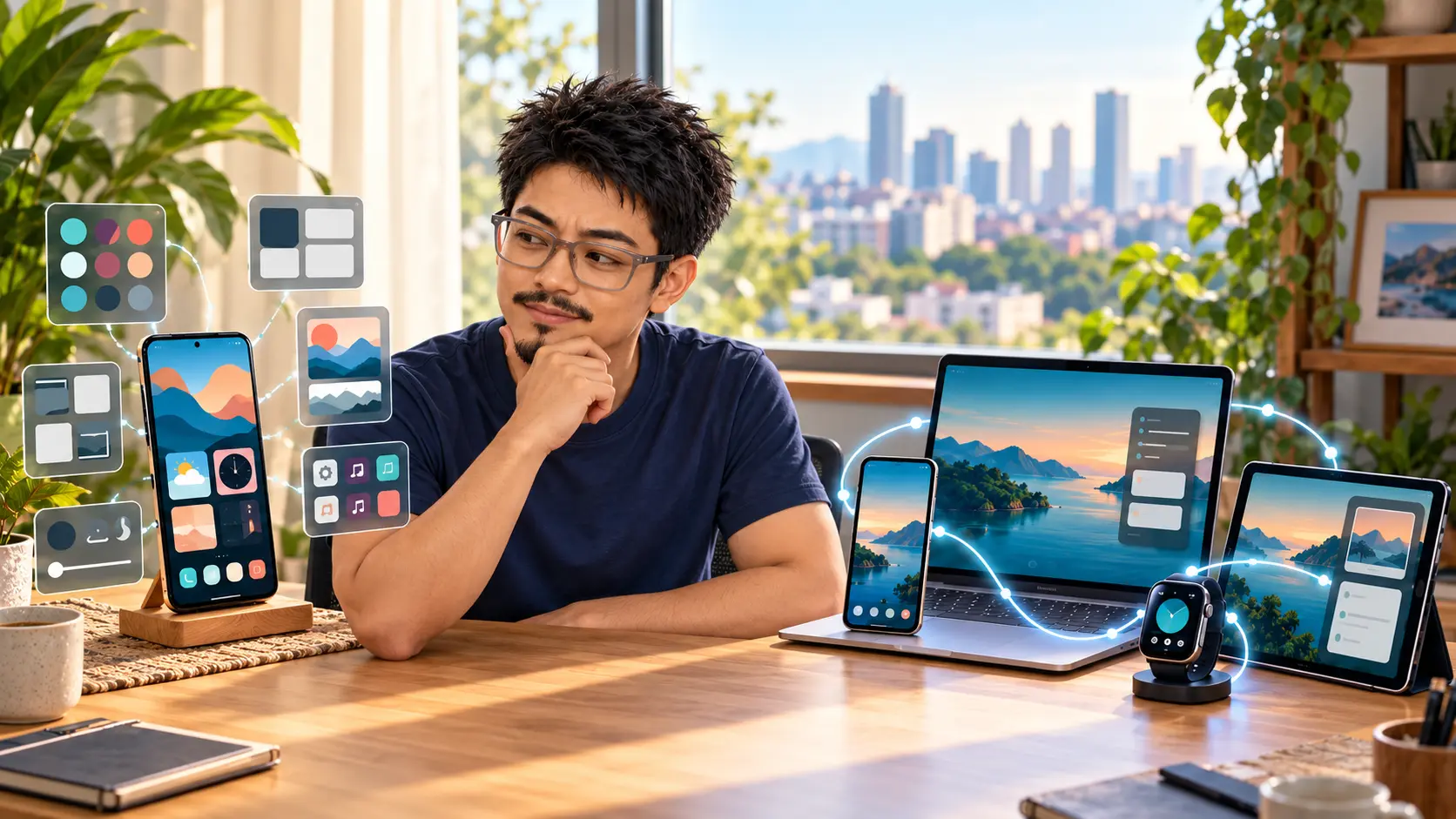
Android usually gives buyers more freedom to change launchers, keyboards, default applications, file handling, home screens, and manufacturer features. That flexibility can be useful, although menus, preinstalled apps, and settings vary across brands. iOS also offers widgets, wallpapers, lock-screen options, shortcuts, focus modes, and selected default apps, but keeps a more consistent layout. Think about what you actually change instead of choosing from the idea of freedom or simplicity alone.
Check Applications Accounts and Switching Effort
Most popular communication, banking, shopping, transport, work, and entertainment services are available on both platforms, but features and minimum software versions can differ. Check every application that would cause a real problem if it were unavailable, especially Philippine banking and wallet apps, government services, school or company authentication, health devices, and specialized accessories.
Official transfer tools can move common data such as contacts, messages, photos, and calendars. They may not carry every purchase, login, game save, authenticator account, chat history, or local file. Make a separate backup, record recovery codes, and confirm SIM or eSIM transfer before erasing the old phone.
Compare Cameras and Performance by Exact Model

There is no single Android camera or iPhone camera experience. Compare the exact phones using credible samples of the subjects you photograph, such as people, pets, food, documents, indoor scenes, and moving subjects. Check focus reliability, exposure, skin tones, low-light consistency, stabilization, microphone quality, lens switching, and video limits. Megapixels alone do not settle the comparison.
Performance also depends on the exact processor, memory, storage, cooling, display, software, and application. A short benchmark can show peak speed, while longer tests reveal heat, frame-rate stability, battery drain, and screen dimming. Gamers should verify support for their preferred titles and frame rates. Work users should check multitasking, video calls, external-display support, and required security tools.
Review Battery Charging and Security
Battery capacity does not translate directly into hours of use. Brightness, signal strength, camera use, gaming, navigation, heat, background activity, and battery age all affect endurance. Compare independent tests that resemble your routine and check the price and availability of battery replacement.
Many current phones use USB-C, but the connector shape does not guarantee the same charging power, data speed, video output, or accessory support. Verify the charger, cable, charging protocol, and included accessories. On either platform, install updates, use a strong passcode, enable account recovery and multi-factor authentication, review app permissions, turn on device finding, and keep a separate backup of important files. Stop using batteries or chargers that swell, leak, spark, smell unusual, or become abnormally hot.
Count Warranty Repairs and Total Cost

For an Android phone, confirm which manufacturer or Philippine distributor handles the warranty. Imported variants may use different mobile bands, SIM arrangements, accessories, software, or repair coverage. Apple publishes Philippine support and repair routes, but buyers should still confirm the seller, coverage, repair terms, and service location.
Resale value depends on the model, storage, condition, battery health, age, demand, and documentation. Do not assume that every iPhone or premium Android phone will keep the same percentage of its value. Compare the full ownership cost and choose a model whose parts, accessories, and service remain practical to obtain.
Common Mistakes to Avoid
Choosing from the platform name without comparing the exact models.
Buying more storage, camera hardware, or performance than your routine needs.
Assuming every Android phone or every iPhone receives the same features and support.
Switching platforms without checking apps, accounts, backups, authenticators, and accessories.
Ignoring Philippine network bands, warranty coverage, return terms, and authorized service.
Looking only at the checkout price instead of accessories, subscriptions, repairs, and battery service.
Questions to Ask Before Buying
Which applications and tasks must work on the first day?
Which phone fits my laptop, watch, earbuds, car, television, and family devices?
How many years of operating-system and security support remain?
Do credible camera and performance tests resemble my actual use?
Does the regional model support my Philippine network, SIM, or eSIM?
What charger, case, cloud storage, subscription, or adapter will I need?
Who provides the warranty, repairs, replacement battery, and other parts?
XploreSulit Summary
An Android phone is the stronger starting point when you want broad hardware choice, more customization, or a particular design such as a foldable, rugged, stylus, or gaming-focused model.
An iPhone is the stronger starting point when you prefer a consistent phone family or already depend heavily on Apple devices and services.
That is only the first filter. Choose between the exact models based on useful support life, application compatibility, cameras, battery endurance, storage, Philippine network support, repairs, and total cost.
If both meet those needs, buy the one that removes more friction from your normal day. A phone should make calls, payments, work, school, photos, travel, and communication easier. A longer specification sheet or more recognizable logo does not guarantee that result.
Editorial and sourcing notes
This independently edited buying guide is based on official platform documentation and practical buying considerations. It is not based on hands-on testing and should not be treated as a ranked product review.
Features, software versions, update policies, device configurations, warranties, service availability, carrier support, and Philippine availability can change. Before purchasing, confirm the details for the exact model and regional variant you are considering.
Official sources
The following sources were accessed on 19 October 2026. Manufacturer and platform documentation describes features and procedures for supported products. A feature available on one device, model, or regional version should not be assumed to work identically on another.
Apple Support Philippines: Use Continuity across Apple devices
Apple Support Philippines: Product service and repair information
Apple Support Philippines: Back up an iPhone or iPad with iCloud
Copyright notice: © 2026 XploreSulit. Rights are reserved in the original human-authored text, scripts, editorial arrangement, graphics, narration, video editing, animation, and overall production, except where otherwise stated. Some illustrations and media contain AI-generated or AI-assisted elements. Reproduction, modification, republication, or commercial use of protected material requires prior written permission, except as permitted by law.
Frequently Asked Questions
Familiarity matters. A long-time Android user may find Android easier, while someone who already uses several Apple devices may prefer iOS.
Android covers entry-level, mid-range, premium, gaming, and foldable phones. Some cost less than current iPhones, while high-end models can cost as much or more.
Neither wins automatically. Camera quality varies by model, lens, software, lighting, subject, and video mode. Compare credible samples from the exact phones.
Transfer tools move many common data types, but purchases, logins, authenticators, local files, chats, and accessories may need separate steps.
Both provide security and permission controls. Use a supported phone, install updates, protect the account and screen lock, and download the official banking app from the appropriate store.
Related Buying Guides
Choosing a Smartphone for Mobile Gaming
Guide in choosing gaming-capable smartphone by sustained performance, display response, controls, battery, charging, storage, connectivity, software support, and overall value.
Finding a Good Camera Phone Without Overspending
A value-focused guide to choosing a camera phone by image quality, focus, stabilization, low-light performance, video, storage, software support, and the photos you actually take.
How Much Smartphone Storage Do You Really Need
A reader-friendly guide to choosing smartphone storage for apps, photos, videos, games, downloads, work files, and everyday use without paying for capacity you are unlikely to use.