
Finding a Good Camera Phone Without Overspending
A value-focused guide to choosing a camera phone by image quality, focus, stabilization, low-light performance, video, storage, software support, and the photos you actually take.
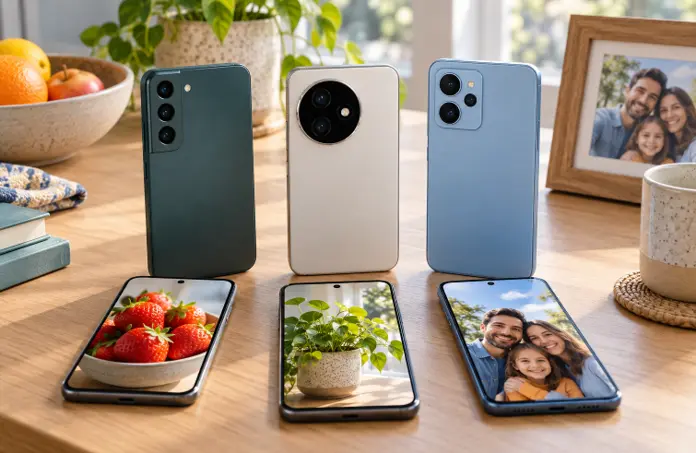
Image disclosure: Images and scenes in this article may be AI-generated for illustration purposes only. Any people, animals, places, products, interfaces, or events shown are fictional or generic and should not be interpreted as actual individuals, locations, commercial products, software interfaces, testing results, or real-world events.
Introduction
You do not need the most expensive flagship to take satisfying family photos, travel pictures, product shots, or social-media videos. Many phones can perform well in good light. The differences become clearer with moving children, indoor gatherings, night scenes, zoom, long recordings, and situations where the camera must focus quickly.
A sensible choice starts with the photos and videos you actually make. Spend on the camera features that improve those situations, then check the rest of the phone—storage, battery, display, updates, and warranty—so the camera does not come with daily compromises elsewhere.
At a Glance Camera Factors
Factor | Why it matters | What to examine |
Main camera | The primary sensor and lens handle most everyday photos. | Independent samples in daylight, indoors, motion, and low light. |
Focus and shutter response | Slow focus or capture delay can miss children, pets, and action. | Consistency across repeated shots, not one perfect image. |
Stabilization | Helps reduce shake in photos and video, especially in dimmer scenes. | Optical or electronic behavior at the modes you will use. |
Processing | Color, sharpening, noise reduction, HDR, and skin tones shape the final image. | Natural detail and consistent results across cameras and lighting. |
Video and audio | Resolution alone does not show stability, exposure changes, heat, or sound quality. | Longer clips, walking footage, focus transitions, and microphone samples. |
Storage and battery | Frequent shooting and editing consume space and power. | Usable capacity, transfer options, endurance, and charging needs. |
- Decide Which Photos Matter Most

Think about your usual subjects: children, pets, food, documents, online products, scenery, concerts, travel, selfies, or short videos. A parent may need dependable autofocus and natural skin tones. A seller may value close focusing, accurate colors, and easy file transfer. A traveler may care about stabilization, battery, and a useful zoom range.
Write down three situations where your current phone disappoints you. This gives you a better buying target than simply asking for the highest megapixel count.
- Start With the Main Camera
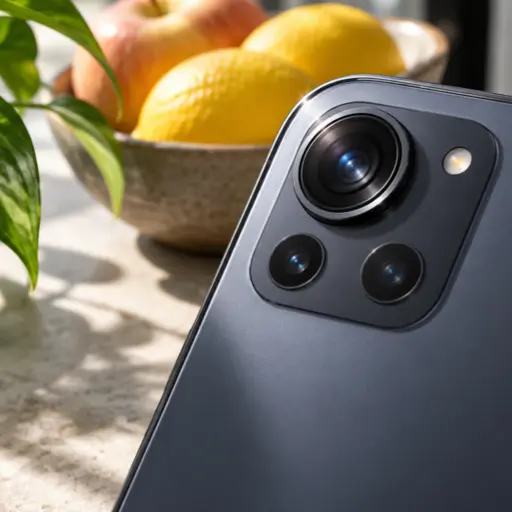
The main camera normally receives the strongest sensor, lens, and processing. A phone with one dependable main camera can be more useful than a model with several weak secondary cameras. Check whether detail remains natural, highlights are controlled, shadows retain useful information, and colors stay believable.
Look for consistency. A camera that sometimes produces an excellent photo but often misses focus or changes skin tones dramatically may be frustrating in daily use.
- Do Not Use Megapixels as the Main Score
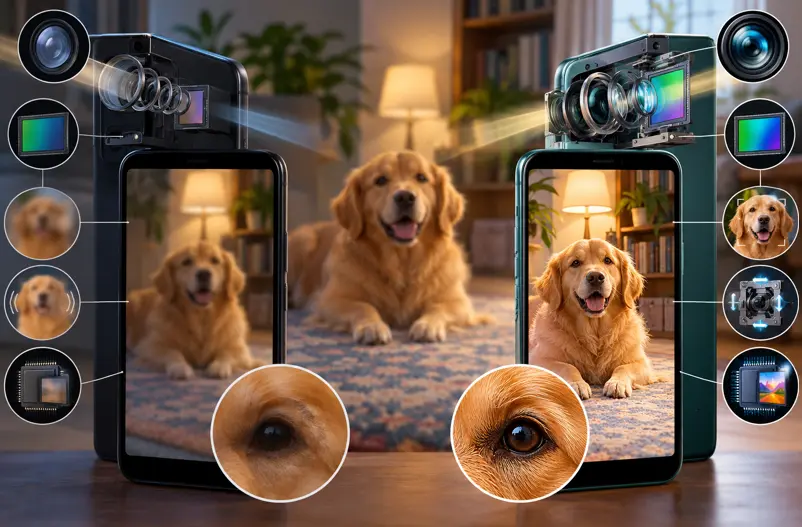
Megapixels describe image resolution, not overall quality. Sensor size, lens quality, pixel design, focus, stabilization, exposure, image processing, and lighting also matter. Phones may combine neighboring pixels for everyday photos, while full-resolution modes can require more light and storage.
Treat very high megapixel numbers as one feature to investigate, not proof that a phone will outperform a lower-resolution competitor.
- Check Focus Speed and Moving Subjects

Family moments rarely stay still. Reviews should show children, pets, people walking, or other movement—not only buildings and posed scenes. Look for quick focus, low capture delay, sharp faces, and a useful burst or motion mode.
Indoor motion is especially revealing because the camera must balance shutter speed, noise, and brightness. A bright-looking image is not useful if the subject is blurred.
- Examine Low Light Without Expecting Miracles
Night modes can combine several frames to improve brightness and reduce noise, but results vary with hand movement, subject motion, processing, and available light. Compare ordinary indoor scenes and moving people as well as dramatic night-city samples.
Watch for smeared detail, over-brightened skies, unnatural colors, halos around lights, and faces softened by strong noise reduction. A tripod-like night result does not necessarily predict how the phone handles a moving family dinner.
- Understand Stabilization

Optical stabilization moves part of the camera system to counter small hand movements. Electronic stabilization uses image processing and may crop the frame. Phones can combine both, but support may differ by camera, resolution, and frame rate.
For video, inspect walking clips, panning, focus changes, and exposure transitions. For photos, check whether stabilization helps in dim scenes without creating blur from moving subjects. No stabilization system can freeze a person who moves during a long exposure.
- Treat Extra Cameras as Separate Products

An ultrawide camera can be useful for rooms, groups, and scenery, while a telephoto camera can improve portraits and distant subjects. However, secondary cameras may use smaller sensors or weaker autofocus and can perform differently from the main camera, especially indoors.
Check samples from every lens you expect to use. Digital zoom crops and processes an image; it should not automatically be treated as equal to a dedicated optical focal length. Macro and depth cameras deserve attention only if their results add something useful.
- Review Selfie Camera and Skin Tones
For video calls, family selfies, and social posts, inspect focus, exposure, dynamic range, indoor detail, and microphone quality. Beauty settings may smooth skin or change facial features, sometimes by default. Check whether these effects can be adjusted or disabled.
Use samples featuring different skin tones and lighting conditions. One outdoor portrait cannot show how reliably the camera handles real people indoors.
- Evaluate Video as More Than Resolution
A 4K label does not describe stabilization, focus, exposure changes, rolling shutter, audio, heat, recording limits, or file size. Check which cameras support each resolution and frame rate and whether features disappear at higher settings.
Creators should review longer recordings and editing workflows. Repeated clips, cached media, project files, and exports consume storage quickly, while recording and processing can increase heat and battery drain.
- Compare Independent Samples Carefully
Use several reputable reviewers and make sure the samples come from the exact model and retail software version. Compare full-size files when available because social platforms and video uploads may compress or sharpen media.
Look for repeatable strengths rather than one attractive picture. Blind comparisons can be useful, but personal preference still matters: some people prefer vivid colors, while others want a more neutral starting point for editing.
- Do Not Ignore the Rest of the Phone

A camera-focused purchase still needs enough storage, a readable display, suitable performance, dependable battery life, compatible networks, software support, warranty, and repairs. A slightly better camera may not justify weak battery life or insufficient storage for the way you shoot.
Compare the complete ownership cost, including the higher storage tier, cloud plan, protective case, charger, and possible battery service. The best-value camera phone is the one you can comfortably carry, use, and maintain.
Recommended Priorities by Use
For family photos
Prioritize fast focus, reliable faces and skin tones, indoor motion, stabilization, and consistent results with little adjustment.
For travel
Look for a useful main camera, dependable ultrawide or zoom option, stabilization, outdoor display brightness, battery life, storage, and easy backup.
For online selling
Favor accurate color, close focusing, readable text, exposure consistency, simple editing, and quick transfer to marketplace or messaging apps.
For short videos
Check walking stabilization, focus transitions, microphones, heat, storage, battery drain, editing compatibility, and export speed.
Common Mistakes to Avoid
Choosing by megapixel count or the number of rear lenses alone.
Judging a camera only from bright outdoor photos.
Assuming every rear camera supports the same video modes, focus, or stabilization.
Treating digital zoom as identical to a dedicated optical focal length.
Using manufacturer samples as the only evidence of everyday performance.
Ignoring focus consistency, motion, skin tones, microphones, heat, and recording limits.
Buying the lowest storage tier despite frequent video recording or editing.
Overspending on camera features while accepting weak battery, updates, warranty, or repair support.
Questions to Ask Before Buying
Which three photo or video situations matter most to me?
Does the main camera focus reliably on people, pets, and movement?
How do indoor faces and skin tones look across several independent samples?
Which cameras and modes have stabilization and autofocus?
Are the ultrawide, zoom, selfie, and video results genuinely useful to me?
How much storage will recordings, edits, and offline backups require?
Does the rest of the phone provide suitable battery life, display quality, updates, warranty, and repairs?
XploreSulit Summary
A good-value camera phone is not necessarily the model with the biggest sensor claim, the most megapixels, or the largest camera module. It is the phone that consistently captures your usual subjects with dependable focus, acceptable motion handling, believable processing, useful stabilization, and video quality that fits your needs.
Start with the main camera, verify the secondary cameras separately, and compare several independent samples. Spend more only when the improvement appears in the situations you actually photograph—not just in the specification sheet.
Frequently Asked Questions
There is no single requirement. Megapixels affect resolution, while sensor, lens, focus, stabilization, processing, and light strongly influence the final result.
It can help reduce hand shake, especially in dim scenes and video, but implementation varies. It cannot stop blur caused by a moving subject during a long exposure.
It can be worthwhile for portraits, events, and distant subjects if the lens and sensor produce useful results. Check samples at the zoom levels you expect to use.
Some can produce pleasing results, especially with steady subjects. Compare the exact phone in ordinary indoor and night conditions and pay attention to motion, detail, color, and processing.
Frequent video recording or editing often benefits from 256 GB or more, but needs vary by resolution, frame rate, format, project workflow, and backup habits. Estimate from your current library and recording settings.
Related Buying Guides

Choosing a Smartphone for Mobile Gaming
Guide in choosing gaming-capable smartphone by sustained performance, display response, controls, battery, charging, storage, connectivity, software support, and overall value.

How Much Smartphone Storage Do You Really Need
A reader-friendly guide to choosing smartphone storage for apps, photos, videos, games, downloads, work files, and everyday use without paying for capacity you are unlikely to use.

Choosing the Right Smartphone for Your Everyday Needs
A helpful overview of what to consider when choosing a smartphone for streaming teleseryes and news, enjoying AI-generated shows, gaming, music, communication, photography, work and everyday online activities.